High-fidelity CFD, in your browser.
Upload a mesh or CAD geometry, configure your case with a guided UI, and get high-order accurate results in minutes — on on-demand GPUs. No cluster, no setup, pay only for the GPU-minutes you use.
Free guided demo · No credit card · Budget caps on every plan
Why Aviato Studio
CFD without the cluster tax
Traditional high-fidelity CFD means owning hardware, fighting DevOps, and paying for licenses that sit idle. Aviato Studio turns all of that into a browser tab.
Capabilities
A complete CFD pipeline, GPU-native
Everything from meshing to multi-GPU solving to interactive post-processing — managed, metered, and accurate.
GPU-accelerated solving
Burst from a single T4 to multi-GPU A100/H100 clusters on demand. The solver scales across devices automatically — you pick the speed, we provision the silicon.
High-order accuracy
Built on high-order flux reconstruction for spectral-class accuracy on unstructured meshes. Resolve turbulence and separation that traditional second-order codes smear away.
Browser-based 3D visualization
Slices, streamlines, iso-surfaces, Q-criterion, and force / Cp plots — explored interactively in the browser. No paraview install, no downloading 50 GB of field data.
Guided CAD → mesh → BC workflow
Upload STEP or a ready mesh, then configure boundary conditions through a guided UI with sane defaults and validation. Fewer foot-guns, faster first run.
Automatic convergence + checkpoints
Residual and force monitors detect convergence and stop the clock. Checkpoint-restart keeps multi-hour runs safe against preemption and lets you resume instantly.
Mesh studies & parameter sweeps
Launch mesh-independence studies and multi-point sweeps as a single batch. Compare AoA, Reynolds, or geometry variants side by side without babysitting jobs.
Usage-based cost dashboard
See GPU-minutes and spend in real time, set per-project and per-team budget caps, and get alerts before you hit them. No surprise bills, ever.
Multi-tenant teams & security
SSO, role-based access, isolated tenants, and encrypted-at-rest storage. Your geometry and results stay yours — built for teams that take IP seriously.
How it works
From geometry to insight in four steps
A guided path that takes you from a CAD file to interactive, high-order results — without touching a scheduler or a solver install.
- 01
Upload geometry or mesh
Drag in a STEP/IGES CAD file or a ready unstructured mesh (GMSH, CGNS). We validate and preview it instantly.
- 02
Configure your case
A guided UI walks you through boundary conditions, solver settings, and run targets — with defaults tuned for each use case.
- 03
Run on GPUs
Pick a GPU tier and launch. Watch live residuals and force convergence; checkpointing keeps long runs safe.
- 04
Visualize & export
Explore streamlines, contours, and iso-surfaces in-browser, then export fields, plots, and reports for your team.
Product tour
See it in action
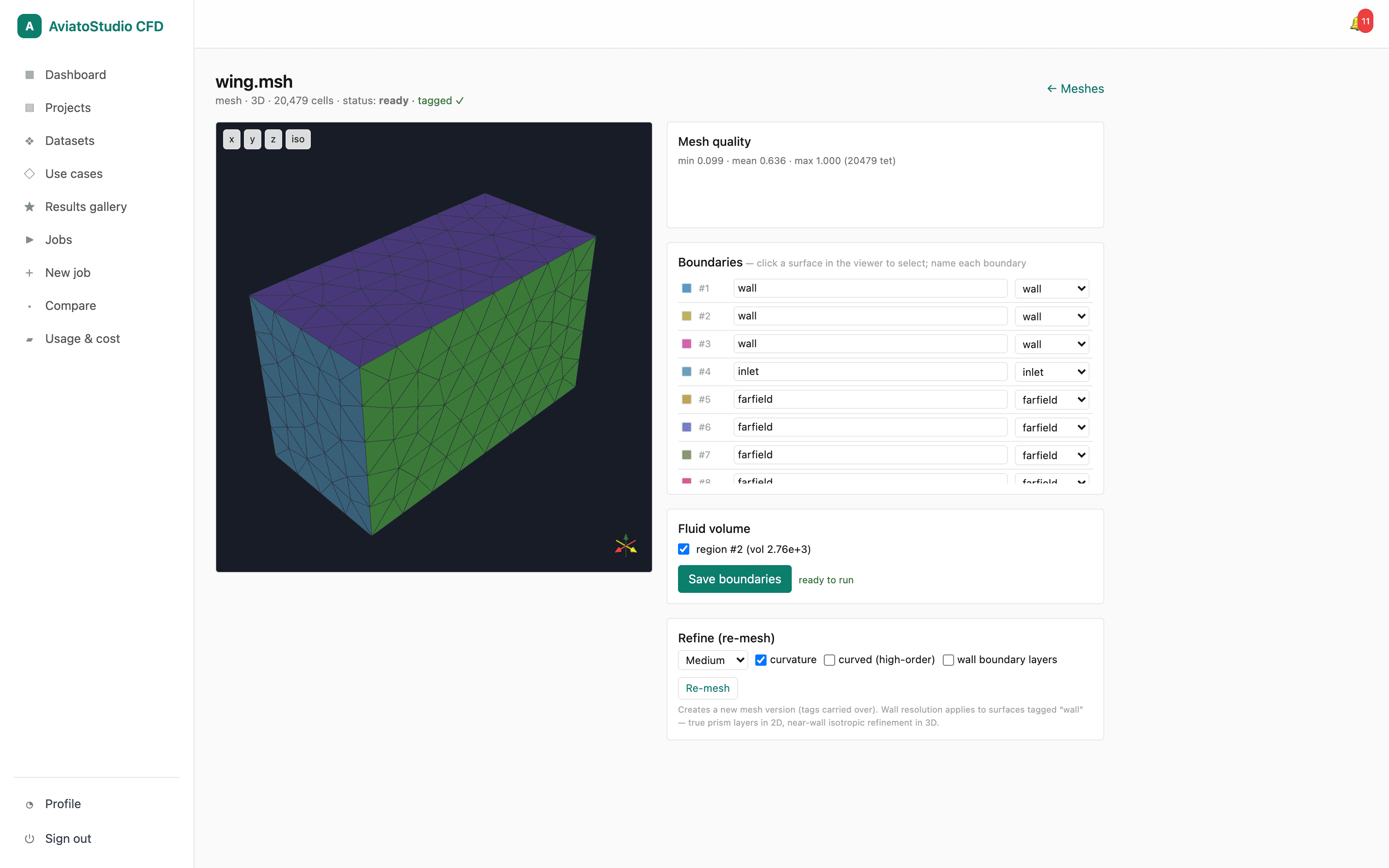
From CAD upload to a launched run to real-time cost — the actual product, not a mockup.
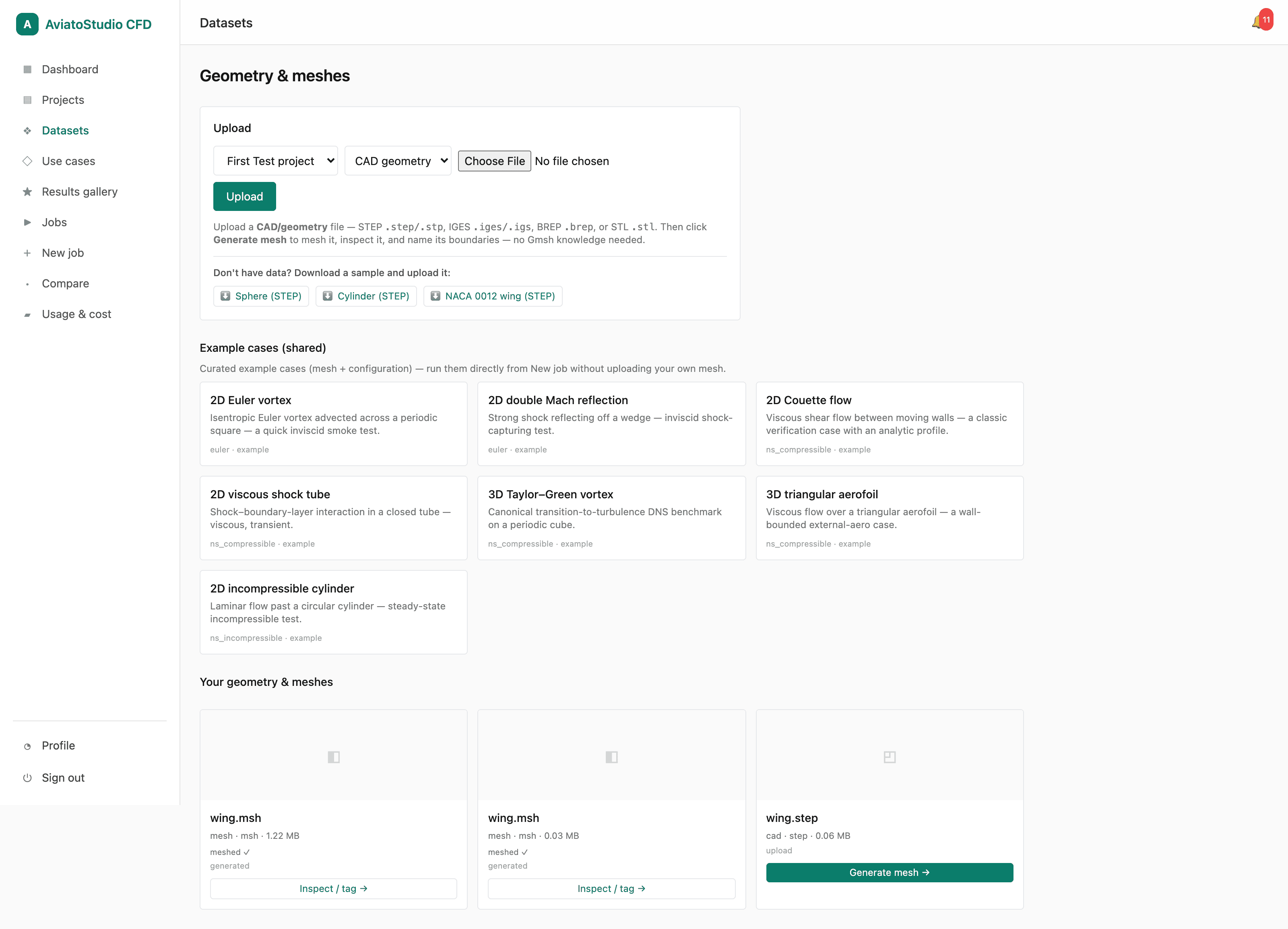
Bring your own geometry
Upload STEP / IGES / BREP / STL, or start from seven built-in example cases.
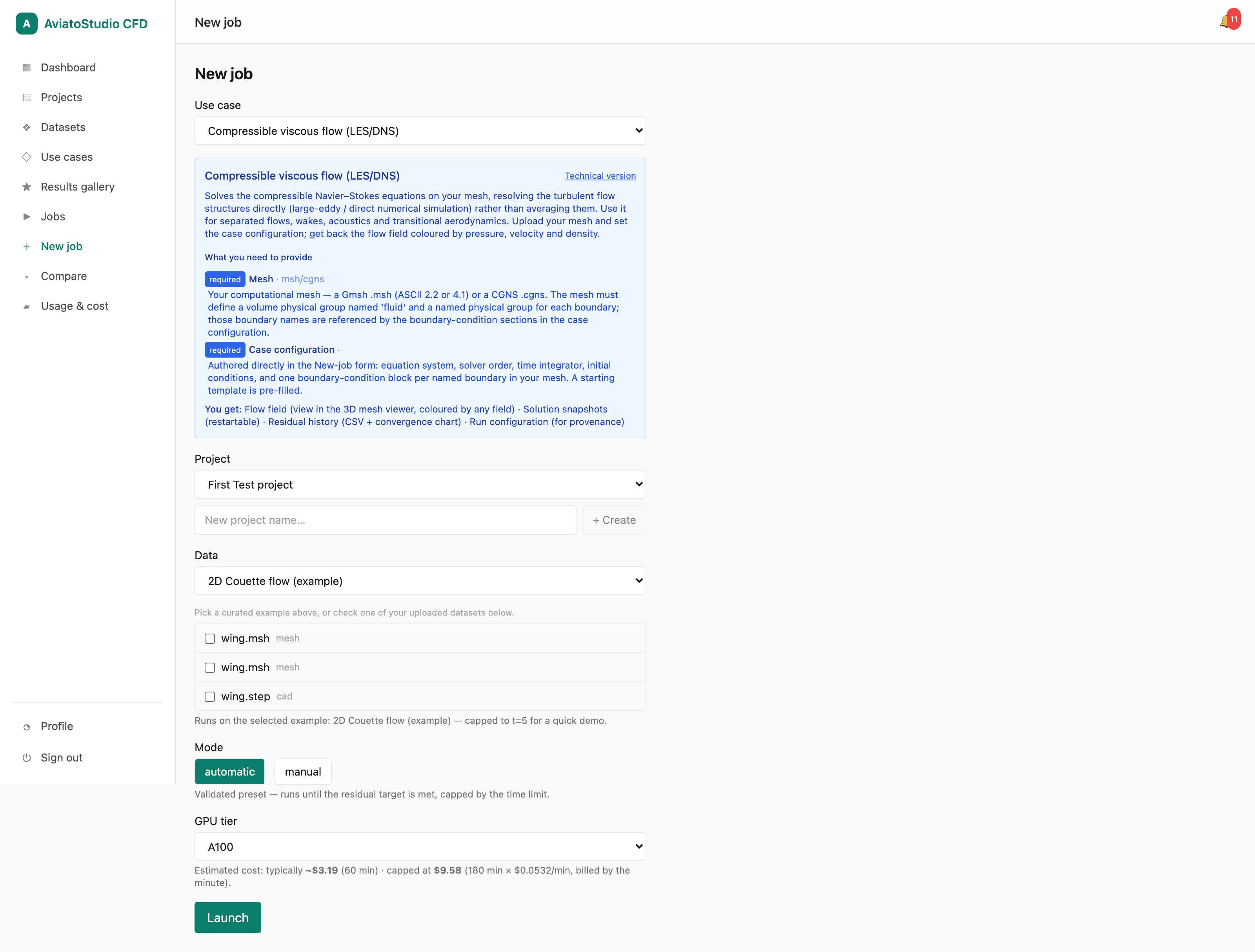
Launch a run in a few clicks
Pick a use case in plain language, choose automatic or manual mode, and see a live GPU cost estimate before you launch.
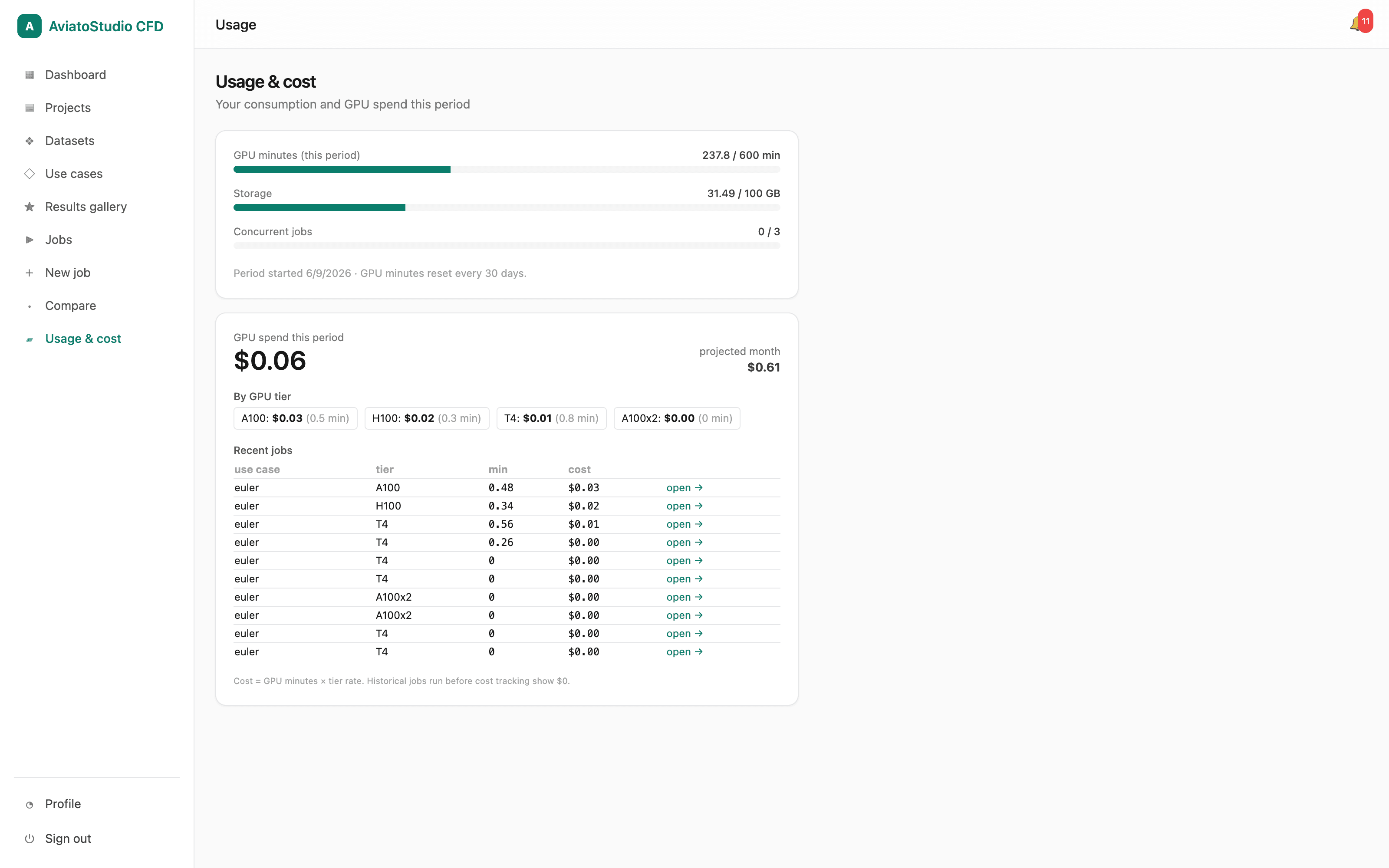
Cost & usage dashboard
GPU-minutes and storage at a glance, spend broken down by GPU tier, with a monthly projection and per-job costs.
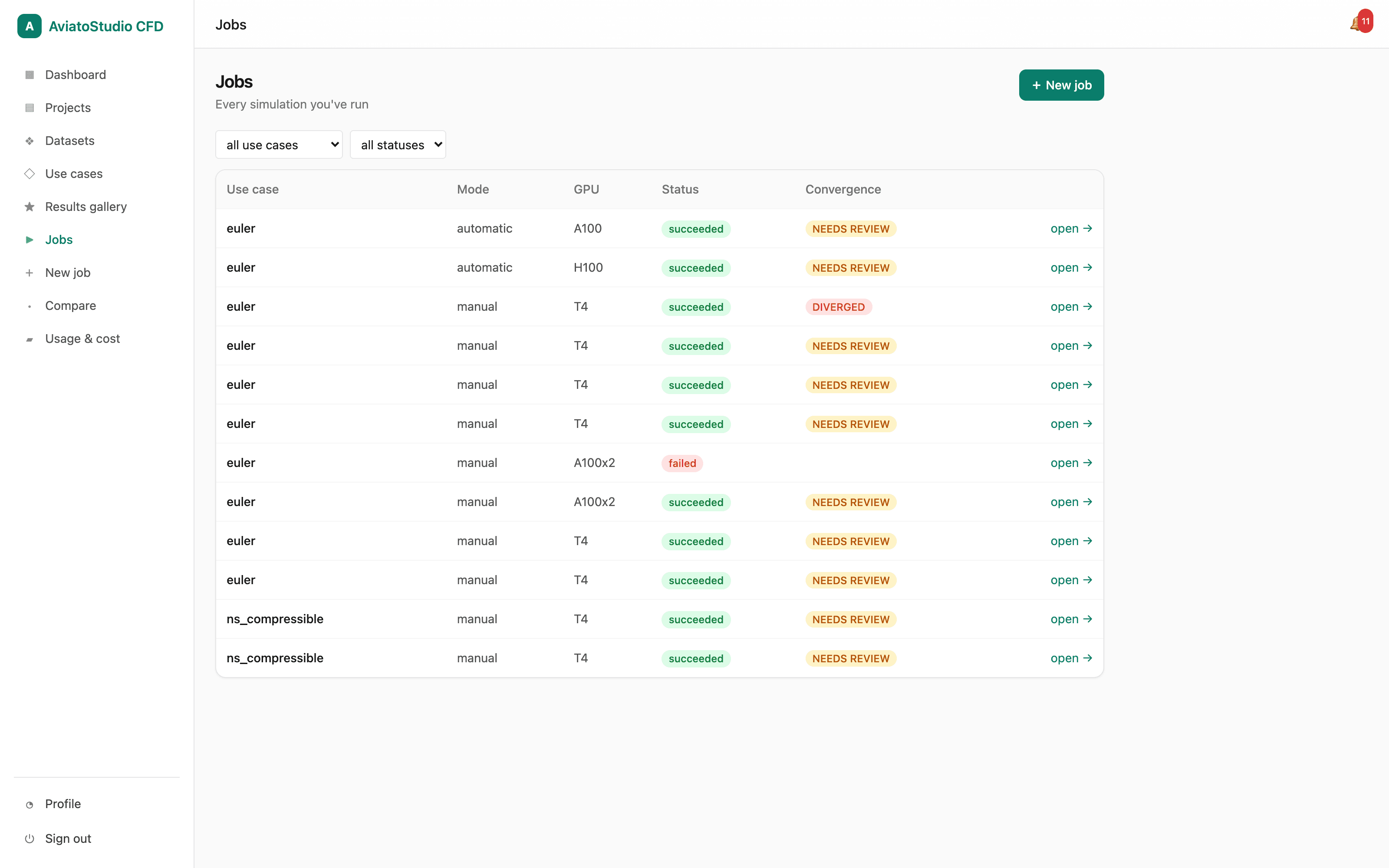
Track every run
Every job with its use case, GPU tier, status, and convergence verdict — filterable at a glance.
Use cases
One platform, many flow regimes
From external aerodynamics to internal valve flows, Aviato Studio's high-order solver handles the cases engineering teams run every day.
External aerodynamics
Drag, lift, and wake resolution for vehicles, wings, and UAVs at high Reynolds numbers.
Turbomachinery
Compressor and turbine blade rows, secondary flows, and loss prediction with high-order fidelity.
HVAC & thermal
Comfort, contaminant transport, and conjugate heat transfer for buildings and electronics.
Valves & manifolds
Internal flows, pressure drop, and flow distribution across complex passages and ports.
R&D & education
Reproducible, shareable cases for research groups and classrooms — no lab cluster required.
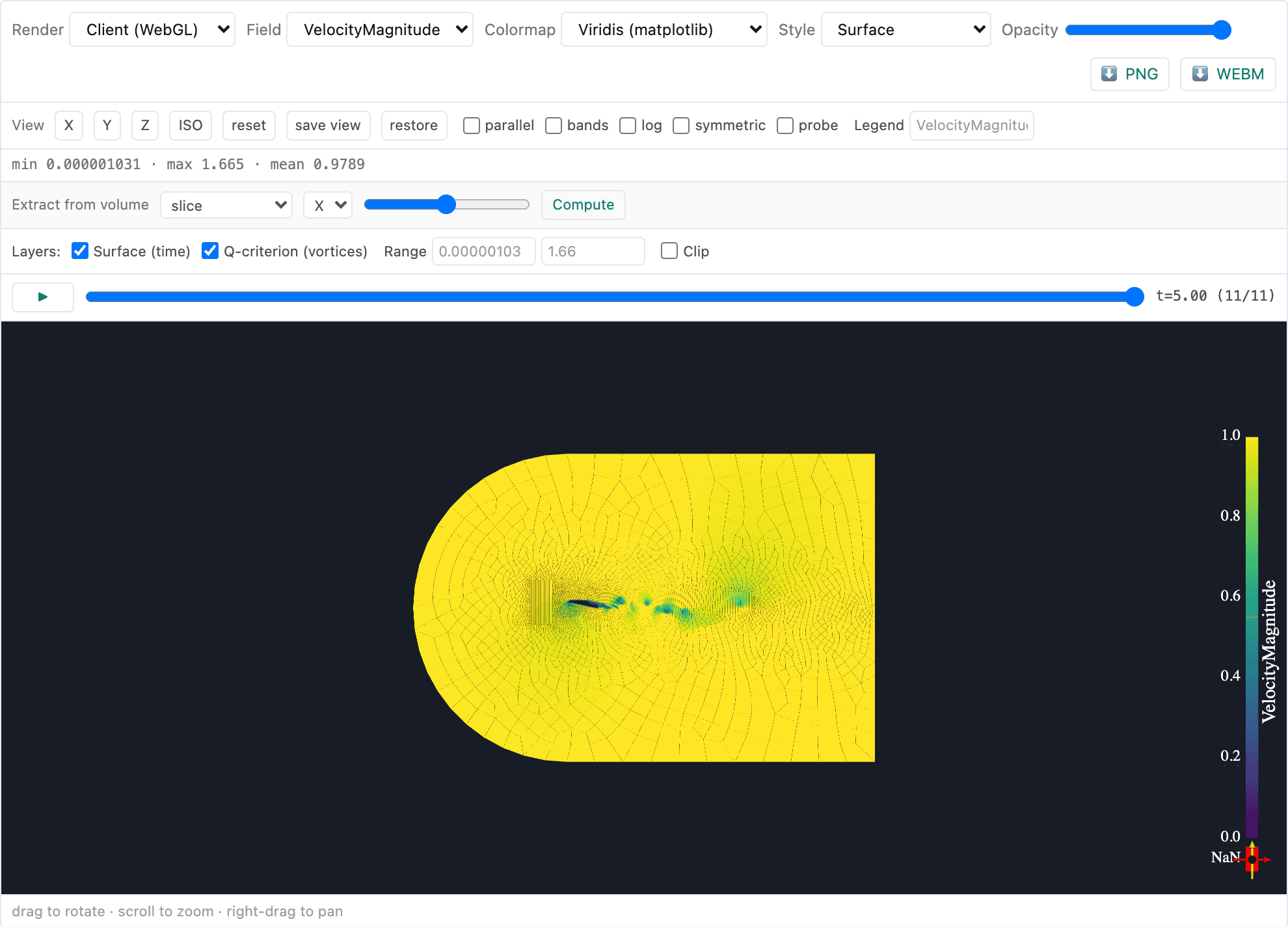
In-browser visualization
Post-process where the data lives
Results stay on the GPU node — you explore them interactively in the browser. No 50 GB downloads, no local ParaView, no waiting. Spin slices, drop probes, and chase vortices in real time.
- Slice planes & clip boxes through any field
- Streamlines, ribbons & vector glyphs
- Iso-surfaces and Q-criterion vortex cores
- Force, moment & Cp / Cf history plots
- Probe points and line integrals
- Export to VTK/VTU, CSV, and publication-ready figures
Pricing
Pay only for the GPU-minutes you use
Start with a guided demo, scale to multi-GPU when you need it, and cap your spend with hard budget limits. No idle license fees, ever.
Demo
See it on your own geometry, with our team.
- Live 30-minute guided walkthrough
- We run your geometry with you
- Trial GPU credits to try it yourself
- Browser 3D visualization of results
- Solver & workflow Q&A
- No credit card
Pro
Usage-based — pay only while you're solving.
- Pay-as-you-go, billed by the minute
- Rate scales with GPU tier (T4 → A100 → H100)
- Multi-GPU solving
- Unlimited mesh size (per GPU tier)
- Parameter sweeps & mesh studies
- Budget caps + spend alerts
- 90-day retention + exports
- Up to 10 team members
- Email support
Enterprise
Security, scale, and support for your org.
- Multi-node H100 clusters
- SSO / SAML & SCIM
- VPC or on-prem deployment
- Custom budgets & invoicing
- Audit logs & access reviews
- Signed DPA
- Dedicated solutions engineer
- Priority SLA support
Get early access to multi-GPU H100 tiers
We're rolling out reserved multi-node H100 clusters and on-prem/VPC deployment to a private beta. Join the waitlist and we'll reach out as capacity opens up.
FAQ
Questions, answered
Everything engineers ask before their first run. Need more? Talk to us.
Aviato Studio is built on high-order flux reconstruction (FR) — a proven, research-grade scheme for compressible and incompressible flow on unstructured grids that delivers spectral-class accuracy on GPUs. It's wrapped in a managed, GPU-native platform, so you get that fidelity without building or maintaining a solver yourself.
Start simulating today.
Spin up your first GPU-accelerated case in minutes. No cluster, no setup, no credit card to start.