Features
The CFD stack, re-built for the cloud
Every layer — meshing, solving, post-processing, billing — designed to run on demand and metered to the second, on top of a high-order flux reconstruction solver.
GPU-accelerated solving
Burst from a single T4 to multi-GPU A100/H100 clusters on demand. The solver scales across devices automatically — you pick the speed, we provision the silicon.
High-order accuracy
Built on high-order flux reconstruction for spectral-class accuracy on unstructured meshes. Resolve turbulence and separation that traditional second-order codes smear away.
Browser-based 3D visualization
Slices, streamlines, iso-surfaces, Q-criterion, and force / Cp plots — explored interactively in the browser. No paraview install, no downloading 50 GB of field data.
Guided CAD → mesh → BC workflow
Upload STEP or a ready mesh, then configure boundary conditions through a guided UI with sane defaults and validation. Fewer foot-guns, faster first run.
Automatic convergence + checkpoints
Residual and force monitors detect convergence and stop the clock. Checkpoint-restart keeps multi-hour runs safe against preemption and lets you resume instantly.
Mesh studies & parameter sweeps
Launch mesh-independence studies and multi-point sweeps as a single batch. Compare AoA, Reynolds, or geometry variants side by side without babysitting jobs.
Usage-based cost dashboard
See GPU-minutes and spend in real time, set per-project and per-team budget caps, and get alerts before you hit them. No surprise bills, ever.
Multi-tenant teams & security
SSO, role-based access, isolated tenants, and encrypted-at-rest storage. Your geometry and results stay yours — built for teams that take IP seriously.
Under the hood
Powered by flux reconstruction, a proven high-order method
Aviato Studio is built on high-order flux reconstruction — a scheme trusted by the academic and industrial CFD community for spectral-class accuracy on GPUs. You get research-grade fidelity — without compiling MPI, tuning schedulers, or maintaining a single line of solver code.
- Method
- Flux Reconstruction (high-order)
- Spatial order
- Up to p = 4 on unstructured grids
- Equations
- Compressible & incompressible Navier–Stokes
- Turbulence
- DNS / implicit LES / RANS
- Hardware
- NVIDIA T4 · A100 · H100 (multi-GPU)
- Backends
- CUDA · HIP · OpenCL · Metal
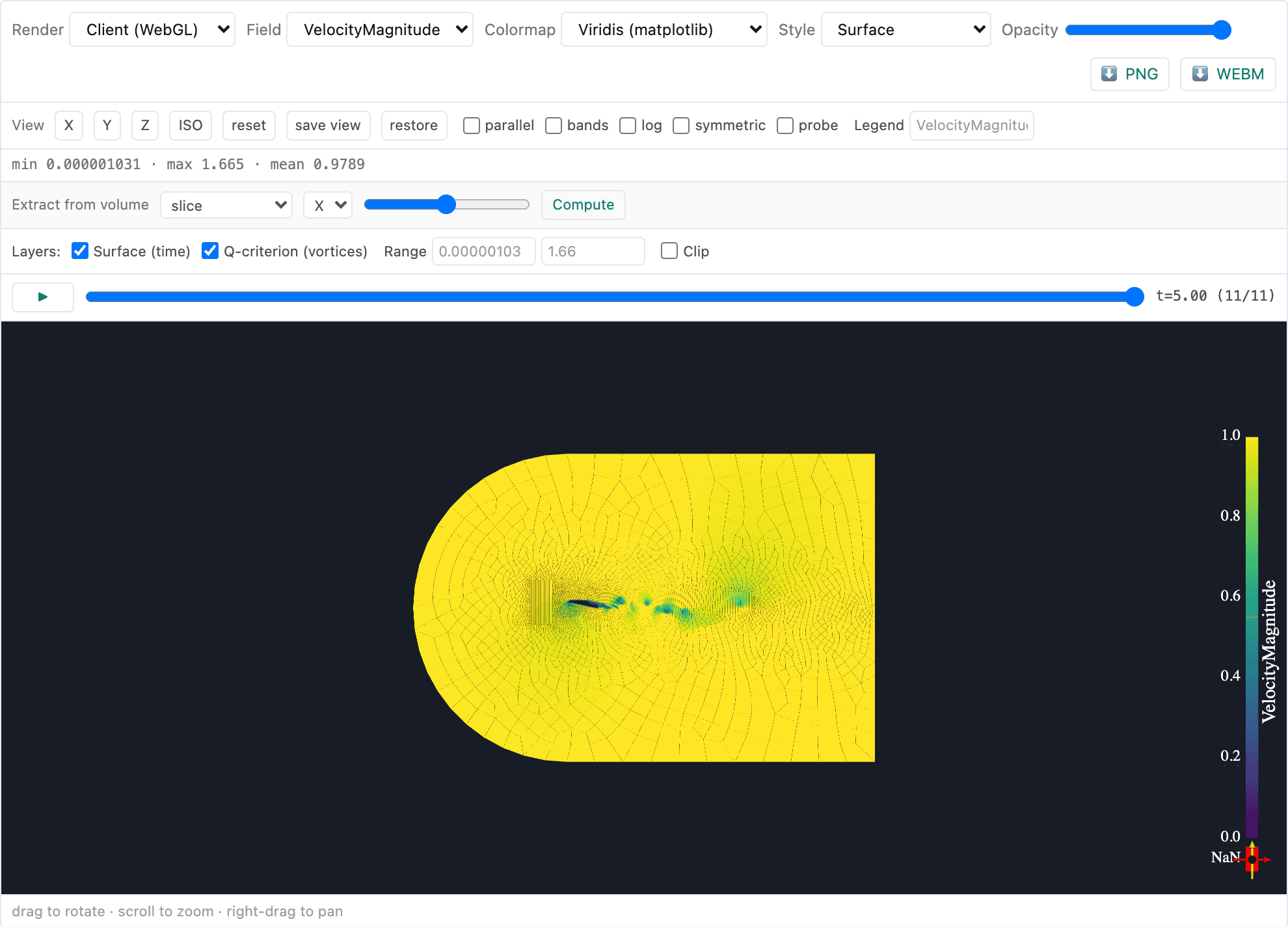
In-browser visualization
Post-process where the data lives
Results stay on the GPU node — you explore them interactively in the browser. No 50 GB downloads, no local ParaView, no waiting. Spin slices, drop probes, and chase vortices in real time.
- Slice planes & clip boxes through any field
- Streamlines, ribbons & vector glyphs
- Iso-surfaces and Q-criterion vortex cores
- Force, moment & Cp / Cf history plots
- Probe points and line integrals
- Export to VTK/VTU, CSV, and publication-ready figures
The workspace
One place for every run
Manage projects, launch jobs, and read results — all in the browser.
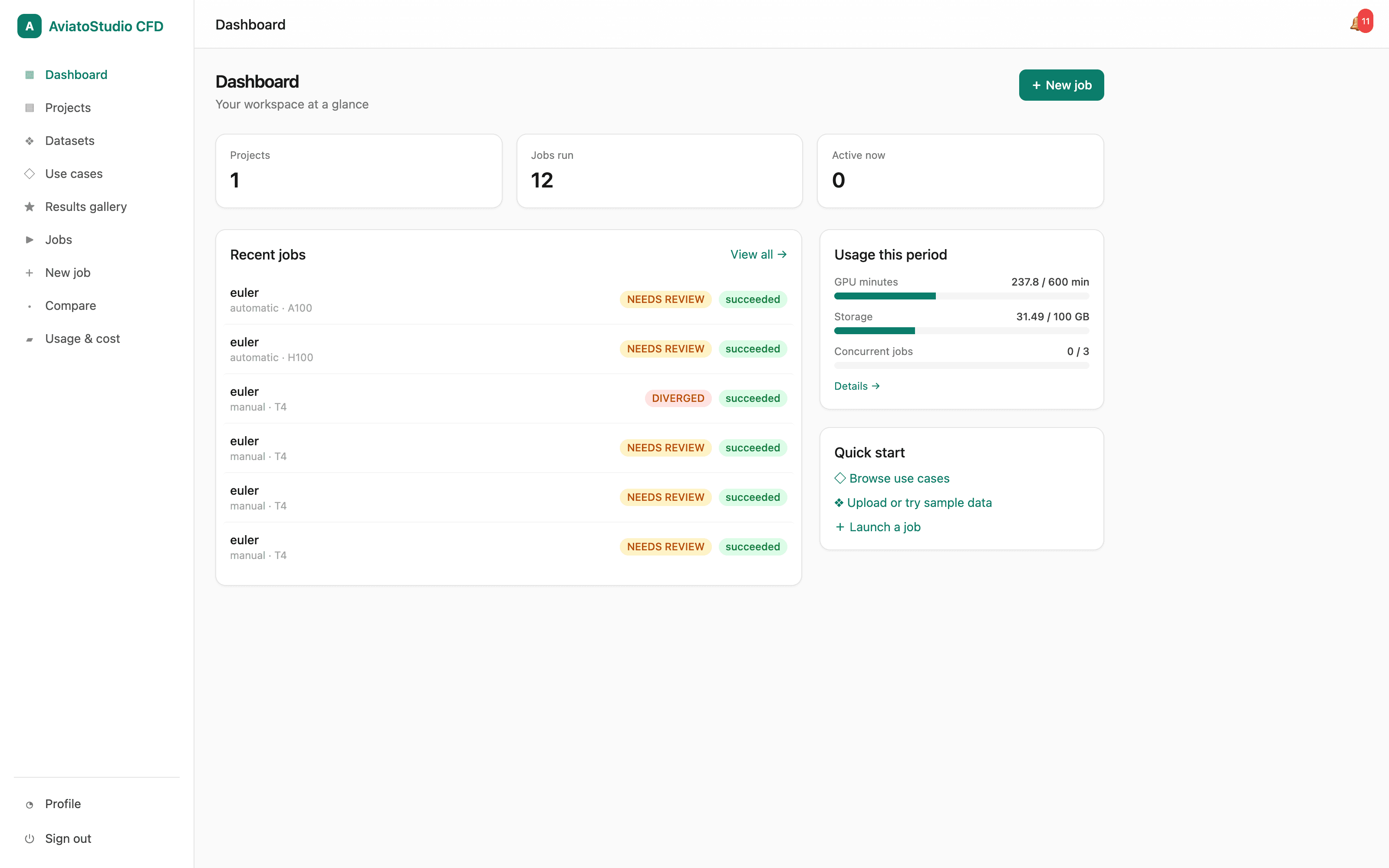
Your workspace at a glance
Projects, recent jobs with status badges, usage summary, and quick-start links.
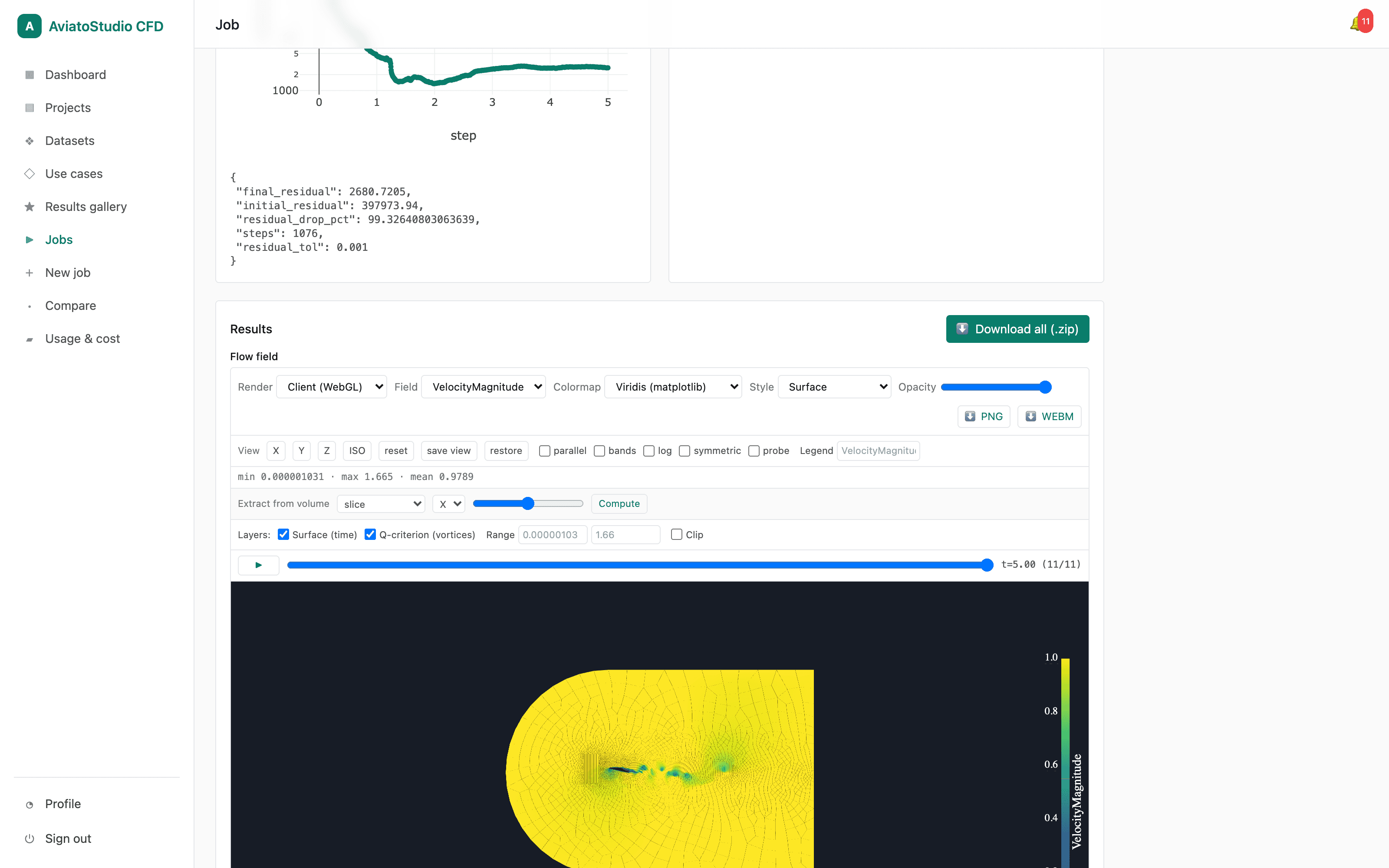
Results dashboard
Convergence chart, residual metrics, and the live flow-field viewer together on the job results page.
How it works
From geometry to insight in four steps
A guided path that takes you from a CAD file to interactive, high-order results — without touching a scheduler or a solver install.
- 01
Upload geometry or mesh
Drag in a STEP/IGES CAD file or a ready unstructured mesh (GMSH, CGNS). We validate and preview it instantly.
- 02
Configure your case
A guided UI walks you through boundary conditions, solver settings, and run targets — with defaults tuned for each use case.
- 03
Run on GPUs
Pick a GPU tier and launch. Watch live residuals and force convergence; checkpointing keeps long runs safe.
- 04
Visualize & export
Explore streamlines, contours, and iso-surfaces in-browser, then export fields, plots, and reports for your team.
Start simulating today.
Spin up your first GPU-accelerated case in minutes. No cluster, no setup, no credit card to start.